Monday, 4 August 2014

How to write recursive function in C++

// Video demonstration is on youtube : https://www.youtube.com/watch?v=9Wp_HUGJY-o
//Here is the program:
#include"stdio.h"
#include"conio.h"
void main()
{
void print_num(int);
void print_num_rev(int);
print_num(10);
printf("\n");
print_num_rev(10);
}
void print_num_rev(int n)
{
if(n<1)
return;
print_num_rev(n-1);
printf("%d,",n);
}

void print_num(int n)
{
if(n<1)
return;
printf("%d,",n);
print_num(n-1);
}

Saturday, 2 August 2014

How to build menu in Oracle Forms

This is a demonstration of how to build menu in oracle forms.

1. Select menus in object browser and click on new icon in toolbar.

new menu oracle forms

2.  Double click on menu


3. Rename it to MU_MASTER.


4. Right click o MU_MASTER and select Editor. Menu layout editor will be displayed. Double click
    on it to rename it.


 5. A caption Master is given to the menu.


 6. In selected state click on create down to create sub-menu under Master.


7. As many times you click on create dow sub-menu uder master will be created.


8. Selecting master click on click right to another header menu. If you select any sub-menu of master
   and click o select right then sub-menu of that master sub-menu will be created.


   9.  Again selecting transaction if you click o click down menu then sub-menu under transaction
       will be created.


   10. Now select Master in the layout editor and press F4 or right click and click properties.
         Select command type from property palette and select PL/SQL to write trigger on this menu.


    11. After selecting PL/SQL from command type click on the button for Menu item code.


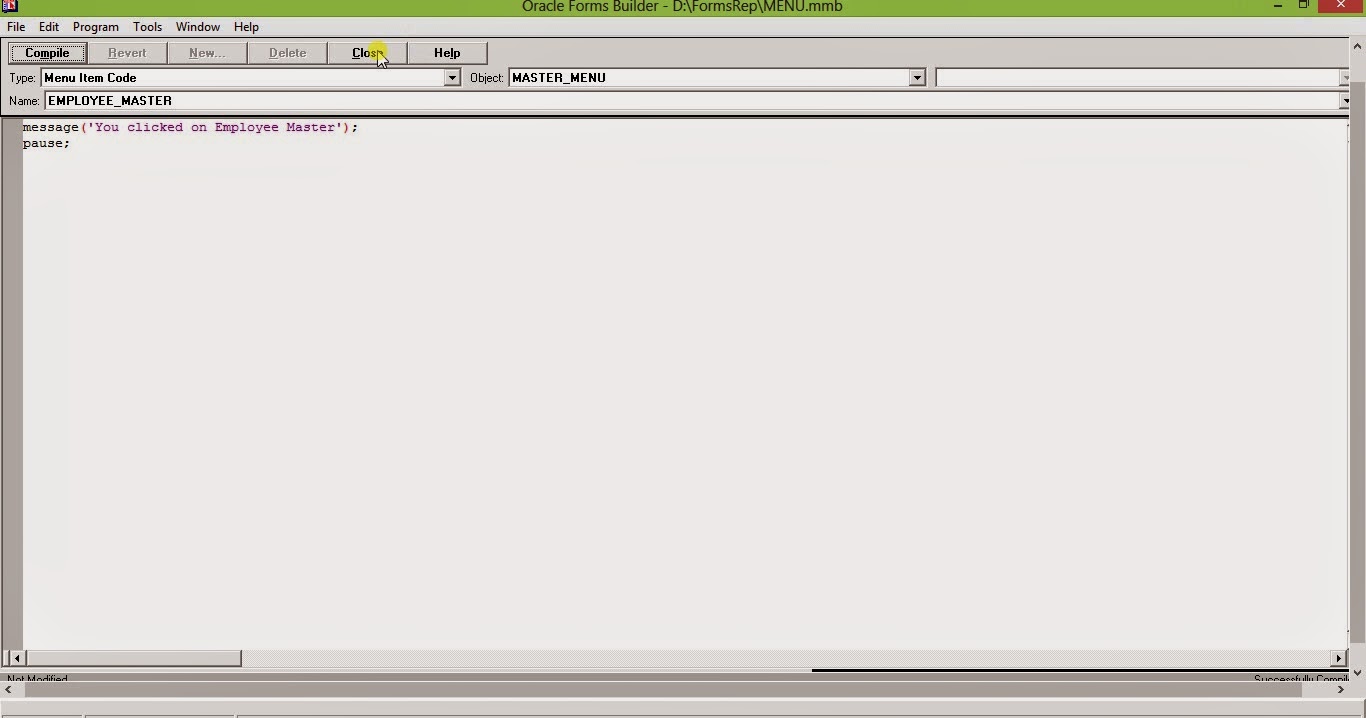
    13. Write your PL/SQL block for click event of the menu.


   14. Now create a form Test1.fmb, goto the form property palette and select File from Menu source.
         On the menu module property give the absolute path of your menu module.


    15. Press Ctrl + T to compile and make binary .fmx and ctrl+R to run the form. Build it and test it.

Friday, 1 August 2014

How to install Oracle 12c database release 1 in Windows 8.

This is a simple attempt to guide you how to install Oracle 12c release 1 on Windows 8 platform.

1. Please visit oracle.com site and navigate to download page. Link can be found in the picture below.
    please make an account into oracle.com and don't forget to sign in.


oracle download site


2. Accept License agreement and click on the Microsoft Windows x64 (64bit).

Oracle download Accept license agreement

3.  Download the 2 zipped files named win64_12c_database_1of2 and win64_12c_database_2of2
     and unzip the zip files. Copy/Move  the contents on win64_12c_database_2of2 to
    win64_12c_database_1of2.

Unzip downloaded setup


4. Open the win64_12c_database_1of2 folder. Right click on setup and click on run as administrator.

run oracle 12c setup


5. Wait for the setup to initiate.

setup initiating

6. If you need to be informed about security issue you can provide your email address. If you are
    subscribed for Oracle support provide your password.

configure security updates  
    7. I preferred to skip both the step.

software updates

    8. I also preferred to skip software updates.

inittialization options

    9. Select Create and configure database from Installation option if you are doing a fresh
        installation, Select Upgrade an existing database if previous version (i.e. 11g) is already
        installed in you machine.

grid istallation option

   10. Select desktop class if you are installing in you home pc.

install type

   11. You can use existing windows user or create new user if you want a different windows login for
         oracle software. If you select create ew windows user oracle will create new user for you.

oracle home user selection

    12. Set you installation location, database edition, character set.

typical installation

   13. Set your global database name, administrative password. Avoid create as container database.

typical installation

   14.  You can ignore the password warning.

typical installation

    15. Prerequisite check is performed by Oracle. Click on next.

prerequisite check

   16. Click on install if you don't wat to change any settings, if you edit ay setting you will be drive
         back to that step and have to navigate again.

install product

Wednesday, 9 July 2014

Microsoft.Windows.Server.2012.x64-iNDiSO Torrent Download

Microsoft.Windows.Server.2012.x64-iNDiSO Torrent Download

Torrent File Link


Magnetic Link

Hash : aec242e97c00222c6416a0fa65324630a2e3bb51

PL SQL Developer 9.0.6.1665 Torrent Download

PL SQL Developer 9.0.6.1665 Torrent Download

Torrent File Link

Magnetic Link

Hash : 6D5B1EDB166DF281087FB229D2142989B286362

Trackers : 14

VMware Workstation 10.0.1 Build 1379776 torrent download

VMware Workstation 10.0.1 Build 1379776 torrent download

Torrent File Link


Magnetic Link

Hash : 1FAFB578A4F129C17F1A7AF7EFEA1BE17C5C2146

Seeders : 836

Leechers : 41

EASEUS Partition Master 9.2.2 Server Professional Technican Unlimited Edition torrent download

EASEUS Partition Master 9.2.2 Server Professional Technican Unlimited Edition torrent download

Torrent File Download

Magnetic Link


Hash : 63858F5BBBA20880E65953A862ABDDED1D00A7BA

Tracker : udp://tracker.publicbt.com:80/announce

Subscribe to my YouTube Channel 

SQL Server 2005 64Bit Enterprise Edition Extended DVD torrent download.

SQL Server 2005 64Bit Enterprise Edition Extended DVD torrent download.

Torrent File link

Magnetic Link

Hash : 39660CA2EDA3B24041D26CFE278188C72D3563A1

Subscribe to my Youtube Link

Netscape Navigator 9.0.0.4 for Torrent download.

Netscape Navigator 9.0.0.4 for Torrent download.

Click to get torrent file
Torrent Link

Click to get magnetic link

Magnetic Link

Seeders   : 0
Leechers : 1

Torrent Link download to CentOS 6 0 i3686 DVD 32 Bit Edition linux .

Link to .torrent file.

Torrent File Link

Magnetic Link


Hash : A1C49AD6E1AF64414E88FFAB42DB8C0D270781F2

Torrent link for Oracle Database 11g Release 1 (11.1.0.6.0) Enterprise Edition for Linux x86.zip


Torrent link for Oracle Database 11g Release 1 (11.1.0.6.0) Enterprise Edition for Linux x86.zip

Click on this for torrent file  Link

Torrent Link

Click on this for Magnetic Link
Magnetic Link

Wednesday, 18 June 2014

Oracle Linux 5.8 Server DVD 64-bit link for Torrent download.

Torrent File Link

Magnetic Link

File List.

1. OracleLinux-R5-U8-Server-x86_64-dvd.iso    Size : 3.61 GB

Tracker :

udp://tracker.openbittorrent.com:80

udp://tracker.publicbt.com:80

udp://tracker.istole.it:80/announce

udp://open.demonii.com:1337

Seeders    : 1
Leechers : 3

Oracle Linux 6.0 link for torrent download.

Torrent Link

Magetic Link

Hash Code : 948D63227E488D718A1E34DFE783D7258F32EF59

Total Size : 10.1 GB

List of Files available :
 File Name                                                                             Size (in GB)
1. OracleLinux-R6-U0-Server-i386-dvd.iso                          2.63
2. OracleLinux-R6-U0-Server-x86_64-dvd.iso                     3.16
3. OracleLinux-R6-U0-src-dvd1.iso                                      3.00
4. OracleLinux-R6-U0-src-dvd2.iso                                      1.38

Trackers

udp://tracker.openbittorrent.com:80/announce

udp://open.demonii.com:1337


How to run 16 bit program in 64 bit Windows OS

Generally you will not be able to run old widows 16 bit program in Windows 64 bit OS.
But it is possible after installing a software known as DOSBox. This is basically an emulator
which helps you to run your 16 bit programs.
Just follow this link given below from where you can download DOSBox.

DOSBox Download link

Wait... After installing when you open the program you will get a DOS based interface.
Now suppose you want to run Turbo C which is in you D:\TC . You need to mount this folder as
as virtual drive i.e. d, for that write this command mount d d:\tc. If succeeded it will display a
message : Drive D is mounted as Local Directory D:\TC.

It's all done. Just type D: ad press enter on the prompt and it will change the drive to virtual drive
as D:>. Now you have to imagine your current directory as d:\tc, not d: ad you can do all work you
need to to on this current directory.

Sunday, 15 June 2014

Wolf 3D versio 1.0 cheats

Start the game from the command line with the goobers option:

wolf3d -goobers

After doing this, press Left Alt, Left Shift, and Backspace simultaneously during gameplay. You should see a message, "Debugging keys are now available!" You can now use the following cheat codes:

    Tab + C - Show statistics
    Tab + E - Instantly ends current level
    Tab + F - Show current coordinates
    Tab + G - God mode
    Tab + H - Player takes damage
    Tab + I - Same effect as the LIM cheat
    Tab + S - Slow motion
    Tab + T - Show all game sprites
    Tab + W - Warp to any map in current Episode (prompt)
    Tab + N - No clipping (disabled on later game versions)

Wednesday, 4 June 2014

How to use rm command in linux


    Command is - rm filename.extensionname
     rm file1.txt

     rm does not remove directory but you can remove list of files in a directory by this command
     rm -r directoryname.  (-r recursive method)
     rm -r Music.  This command will remove all the files in the directory Music.

     You cannot remove files with rm if you do not have write permission on the files.

Few functionalities of ls command in Linux


Lists the contents of the current working directory
(pwd - "Print Working Directory" To see the current working directory)

ls -a
List all files including the files with Dot prefix

ls -l

List name of files with details like permission,date time (created/modified)

Commands can be combined
Say you want to list all files with details you type
ls -a -l or ls -al
This joining can be only done for Short options
for long options like -all you cannot join to options
(example ls -al)

Long and short options can be mixed.
ls --all -l

Monday, 26 May 2014

How to swap 2 numbers using pointers.

#iclude"stdio.h"
#include"conio.h"
void main()
{
int a=4,b=8;
void swap(int *,int *); // Prototype  for the function
clrscr();
printf("\nNumbers before swap : a = % d, b = %d",a,b); // print variable value before swap
swap(&a,&b);
printf("\nNumbers after swap : a = % d, b = %d",a,b); / print variable value after swap
getch();
 }
void swap(int *p,int *q)
{
int t; // Temporary variable to store the value before swapping
t=*p;
*p=*q;
*q=t;
}

How to copy string using pointer in C Programming

#include"stdio.h"
#include"conio.h"
void main(int argc,char *argv[])
{
void stringcopy(char *,char *);
char target[10];
clrscr();
fflush(stdout);
if(argc<2)
{
printf("\nWrong number of argument parameter");
exit(0);
}
stringcopy(target,argv[1]); // target, &target[0]
printf("\nSource string %s, Target String %s",argv[1],target);
getch();
}
void stringcopy(char *trg,char *source)
{
while(*trg++=*source++);
//Alternative way pretty adhoc process
/*while(*source)
{
*trg = *source;
trg++;
source++;
}
*trg=*source;*/
}

Monday, 12 May 2014

How to create a view in Oracle

A view is a sql statement which can be stored in Oracle database as SQL statement. It never stored as data but as a sql statement.

Syntax to create a view

CREATE OR REPLACE VIEW VIEW_NAME AS
SELECT * FROM TABLE_NAME;

Syntax to see a view content

DESC VIEW_NAME

Syntax to delete a view

DROP VIEW VIEW_NAME

You can use a view as a table i.e. add where clause in view or use it in an inline view.

SELECT * FROM VIEW_NAME WHERE COLUMN_NAME = FIELD_VALUE

Example

Suppose you have a sql based on 2 table employee having 2 columns ecode, ename
and salary having 2 columns month_year, net_pay. Now the sql is to get ecode, ename,month_year
and sum of ney_pay. sql statement is given below.

select ee.ecode, ee.ename,sl.month_year, sum(sl.ney_pay) tot_net_pay
from employee ee,salary sl
where sl.emp_id = ee.emp_id
group by ee.ecode, ee.ename,sl.month_year,
order by 1,3

sl is the alias for table salary, ee is the alias for table employee, emp_id is primary key in employee
and reference key in salary. order by clause uses index of columns in select clause.

Now to create the view we write

CREATE OR REPLACE VIEW EMP_SAL_VIEW AS
select ee.ecode, ee.ename,sl.month_year, sum(sl.ney_pay) tot_net_pay
from employee ee,salary sl
where sl.emp_id = ee.emp_id
group by ee.ecode, ee.ename,sl.month_year,
order by 1,3

Now if you write a select query on this view it will be

SELECT ECODE,ENAME,MONTH_YEAR,NET_PAY FROM EMP_SAL_VIEW;

You can also use where clause in this view.

SELECT ECODE,ENAME,MONTH_YEAR,NET_PAY FROM EMP_SAL_VIEW
WHERE NET_PAY<=1000;